Why Is My Disposable Vape Screen Not Turning On?

Time:2026-10-02 Author:Oliver
0%

A dark display can be confusing, especially when the device still feels full and recently purchased. If you are asking, “why is my disposable vape screen not turning on,” avoid assuming the battery is simply empty. The screen may have a failed display, an internal connection problem, a depleted battery, or a device that never activated correctly. Sometimes, the cause is disappointingly simple.

John Dunne, Director General of the UK Vaping Industry Association, has stated, “Vaping is not risk-free, but it is significantly less harmful than smoking.” That reminder also supports careful use rather than careless troubleshooting. A blank screen does not justify opening the casing, puncturing the battery, or forcing the device to charge. Those actions can create heat, leakage, or fire risks. Do not use the device if it becomes hot, swells, leaks, smells unusual, or shows physical damage. Put it aside on a non-flammable surface.

This guide examines practical, safety-conscious reasons behind “why is my disposable vape screen not turning on.” It will distinguish activation problems from battery failure and manufacturing defects. It will also explain when a retailer or manufacturer should handle the issue. Gently check whether the protective packaging or airflow seal remains attached, if the product instructions mention one. Do not insert tools into the mouthpiece or charging port. Small details matter.

The honest limitation is that a dark screen cannot reveal its exact fault without testing equipment. If basic checks fail, replacement is safer than repair. Follow local battery and electronic-waste disposal guidance. Never place a damaged lithium battery in ordinary household rubbish.
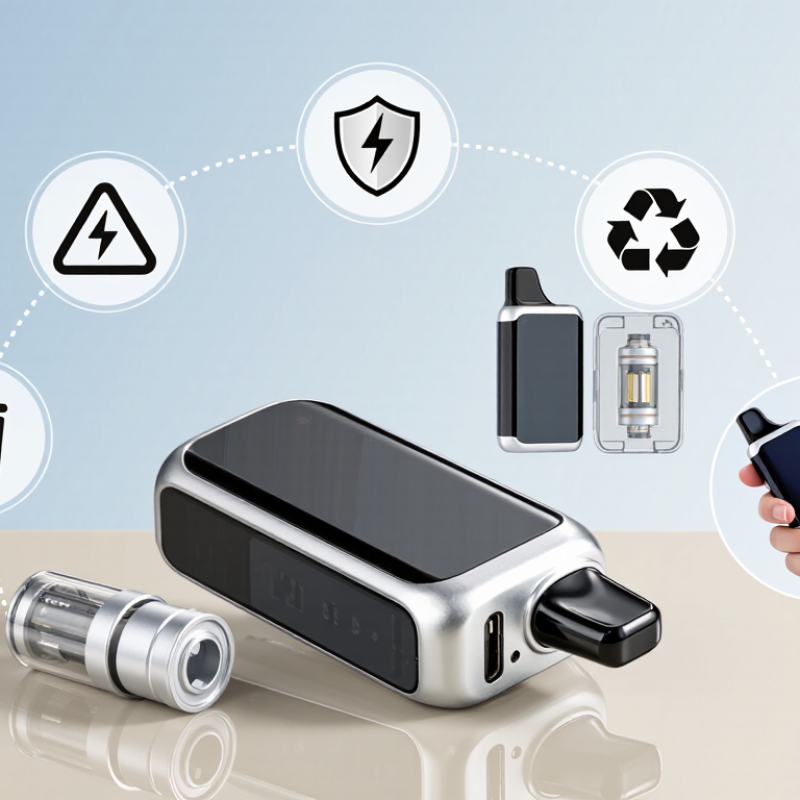
Why Is My Disposable Vape Screen Not Turning On?

What a Disposable Vape Screen Indicates

A disposable vape screen usually reports battery level, puff count, charging status, or a fault symbol. It does not always measure remaining liquid accurately. A battery icon may fall quickly after repeated use, especially in cold conditions. A flashing light can indicate a sensor error, blocked airflow, or an exhausted power cell. Some screens remain dark when the device is inactive, while others fail because of moisture near the display or control board.

A dark screen does not prove the device is empty. Check the printed instructions before trying anything. If the model is rechargeable, use only its specified cable and stop charging if it becomes hot, swollen, or smells unusual. Never open the casing or bypass its safety controls. The U.S. Fire Administration warns that lithium-ion battery incidents can involve thermal runaway, so damaged devices require careful handling. The 2024 National Youth Tobacco Survey reported that 1.63 million U.S. students currently used e-cigarettes, while disposable products remained the most common device type at 55.6 percent. That scale makes clear labeling and battery protection important.

Display readings can also be misleading. Puff counters estimate draws; they do not measure exposure or liquid volume. A professional inspection is safer when the screen stays blank, the device leaks, or airflow changes suddenly. Dispose of damaged units through approved battery or electronic-waste services. I would not trust a silent screen, even when the device still produces vapor.

Why Is My Disposable Vape Screen Not Turning On?

A disposable vape screen usually indicates battery status, puff information, e-liquid level, charging activity, or an error condition. A blank screen may occur when the battery voltage is too low, the device has reached its cutoff point, or the display itself has failed.

How to read the screen: A battery icon or percentage normally reflects remaining power, a puff counter records inhalations, and an e-liquid symbol may show remaining fluid. If the screen does not turn on, check whether the device is depleted, blocked, damaged, or outside its normal operating temperature. Voltage thresholds vary by device, so do not disassemble or recharge a disposable vape unless it is specifically designed for safe recharging.

Common Reasons the Screen Will Not Turn On

A disposable vape screen may stay dark because its battery is empty, deeply discharged, or disconnected internally. A cold device can also reduce battery output temporarily. Let it reach room temperature before checking again. Moisture near the display, a cracked casing, or a failed screen connection can create the same symptom. The National Academies of Sciences, Engineering, and Medicine reported in 2018 that electronic nicotine devices rely on lithium-ion batteries, which can fail when damaged or poorly managed.

The key clue is whether the device still produces vapor. If it works but the screen remains blank, the display or sensor may be faulty. If nothing happens, the battery, airflow sensor, or internal protection circuit may have failed. I have seen users press the button repeatedly, assuming the screen is frozen. That usually changes nothing. Do not open the casing or force a non-rechargeable device to charge. Stop using it if it feels hot, swells, leaks, smells unusual, or shows burn marks. A U.S. Fire Administration review recorded 195 reported e-cigarette battery fire or explosion incidents between 2009 and 2016, showing why damaged cells deserve caution. For rechargeable models, use only the supplied charging method and a stable surface. Dispose of failed devices through local battery or electronic-waste services.

How to Check the Battery and Charging Connection

A disposable vape screen that stays dark may have a drained battery, a loose charging connection, or a damaged display. I once assumed a blank screen meant the device was finished. That assumption was too quick. Check the charging port under a bright light. Dust, pocket lint, or a bent contact can prevent the cable from sitting correctly.

Use the supplied cable, if available, and connect it to a standard power source. Avoid forcing the plug. The connection should feel stable, not loose or unusually warm. Leave the device charging for the period stated in its instructions, then check the screen again. Try another compatible cable only if the original cable appears damaged. A different cable can identify the problem, but it cannot repair a failed battery.

Watch for warning signs. Stop using the device if it becomes hot, smells unusual, swells, leaks, or shows burn marks. Do not open the casing or attempt to replace the internal battery. Some screens activate only when the device is connected or used, so a dark display does not always prove a fault. If the screen remains off after a clean connection and proper charging time, the battery, charging circuit, or display may have failed. Do not keep testing it repeatedly. My own mistake was treating repeated plugging as a solution; it only increased wear on the port.

How to Inspect the Display, Buttons, and Device Body

A dark disposable vape screen does not always mean the battery is empty. Inspect it under a bright lamp. Look for hairline cracks, trapped moisture, loose screen edges, or liquid beneath the display. Wipe the surface with a dry, lint-free cloth. Do not press hard. Condensation around the screen can distort readings or block touch controls.

Check every button for a clear click and normal return. A button that feels soft, sticks, or activates without pressure signals a possible internal fault. Inspect the device body for dents, swelling, split seams, unusual warmth, or a chemical smell. Stop handling it if any warning sign appears. Do not puncture, open, repair, or charge a disposable device unless its instructions specifically allow charging. NFPA’s Electronic Cigarette Fires and Explosions report recorded 195 incidents in the United States from 2009 to 2016, with many injuries linked to battery failures. That data supports careful physical inspection, not panic.

Try one brief activation only after the body looks intact. If the screen stays black while airflow or a button responds, the display may have failed. If nothing responds, the power circuit may be depleted or damaged. A clean screen can still hide an internal fault. I have found visual checks useful, but they are not foolproof. Avoid repeated pressing, because it may heat a damaged cell. Follow local waste rules for disposal.

Why Is My Disposable Vape Screen Not Turning On? - How to Inspect the Display, Buttons, and Device Body

Inspection Area What to Check Likely Meaning Safe Action Safety Priority
Screen or LED Take a puff only if the device is designed to activate by inhalation, and observe whether the display or indicator responds. The screen may be inactive during standby, or the battery, display, or control circuit may have failed. Check the user instructions for the device’s normal indicator behavior. Do not repeatedly activate it unnecessarily. Medium
Power button Look for a button that is stuck, recessed, loose, or not moving normally. Some disposable devices have no power button. A damaged or stuck button can prevent activation or cause unintended activation. Do not force, pry, or repeatedly press the button. Stop using the device if it activates without a puff. High
Charging port Check for lint, liquid, bent contacts, or visible damage. Confirm whether the device is intended to be rechargeable. A blocked or damaged port can prevent charging; a non-rechargeable disposable should not be charged. Only charge a rechargeable device with the specified cable and instructions. Never improvise a connection. High
Device body Inspect for cracks, swelling, leaking e-liquid, a burnt smell, unusual heat, or a loose casing. Physical damage may indicate a leaking or compromised battery and can make the device unsafe. Stop using it, keep it away from heat and flammable materials, and follow local rules for battery or electronic-waste disposal. High
Airflow path Check the mouthpiece and air inlets for packaging film, dust, condensation, or blockage. Restricted airflow can prevent an inhalation sensor from detecting a puff. Remove only loose external debris. Do not insert sharp objects or liquids into the mouthpiece or body. Medium
Battery condition Note whether the device has been exposed to water, extreme temperatures, impact, or prolonged storage. A depleted, aged, or damaged battery may not power the screen or heating element. Do not replace or remove the internal battery. A sealed disposable device is not designed for user repair. High
Moisture or leakage Look for liquid around the mouthpiece, seams, charging port, or button area. Liquid can interfere with sensors and electronics and may irritate skin or eyes. Avoid contact, do not use or charge the device, and wash skin with soap and water if exposed. High
Display accuracy Compare the screen response with the device instructions; check for flickering, partial digits, or abnormal symbols. The display itself may be defective even if the device still produces vapor. Treat missing or incorrect readings as unreliable. Do not disassemble the device to inspect the screen. Medium
Temperature Check whether the body feels unusually hot while idle, charging, or being used. Excessive heat can signal a battery fault, short circuit, or charging problem. Stop using and charging it immediately. Move away from combustible materials only if it is safe to do so. High
Final decision Consider the screen, controls, airflow, battery, and body condition together. A screen that remains off may be a normal design feature, a depleted battery, or an internal fault. If the cause is unclear or any damage is present, discontinue use and replace or dispose of the device safely rather than opening it. High

Important: Never open, puncture, crush, burn, or modify a disposable vape. Keep damaged or leaking devices away from children, pets, heat, and flammable materials.

When to Stop Troubleshooting and Replace the Vape

A dark disposable vape screen does not always mean the device is empty. First, inspect the casing, airflow opening, and mouthpiece under good light. Wipe away condensation with a dry cloth. Do not insert pins or open the shell. Some screen faults come from impact, moisture, or a failed internal connection, not simple battery loss.

Stop troubleshooting when the device feels hot, looks swollen, leaks, smells burnt, or makes a hissing sound. Stop immediately. The U.S. Fire Administration recorded 195 electronic-cigarette fires or explosions and 133 acute injuries between 2009 and 2016. Its report linked many incidents to lithium-ion battery failures, especially during charging. A dark screen beside heat or damage is a warning, not a challenge.

If the screen stays blank after a brief external inspection, replacement is safer than repair. Do not charge a disposable device unless it has a clearly designed charging system and approved instructions. Never puncture, crush, burn, or place a damaged unit in household rubbish. Local battery or electronic-waste collection is the better route. I have seen users keep testing a “dead” device because it still feels full; that judgment can be wrong. Screen failure removes useful safety information, including battery status and fault alerts. Availability of replacement products varies by region, so follow local age, disposal, and product-safety rules.

FAQS

What can a disposable vape screen show?

It may show battery level, puff count, charging status, or a fault symbol. These readings are estimates. They may not show remaining liquid accurately.

Does a blank screen mean the device is empty?

No. A dark screen can result from low power, moisture, impact, or a failed connection. A blank display proves very little.

Why might the screen stop working in cold weather?

Cold temperatures can temporarily reduce battery output. Let the device return to room temperature before checking it again. Do not heat it directly.

What should I do if the device still produces vapor?

The display, sensor, or internal connection may have failed. Do not repeatedly press buttons or open the casing. The device may still be unsafe.

Can I charge a disposable vape with any cable?

No. Charge only a model clearly designed for charging. Use its specified cable and instructions. Never force charging into a non-rechargeable device.

What signs mean I should stop using the device?

Stop immediately if it becomes hot, swells, leaks, hisses, smells unusual, or shows burn marks. A damaged battery can fail suddenly. Do not keep testing it.

How can I inspect a dark-screen device safely?

Check the casing, mouthpiece, and airflow opening under good light. Wipe condensation with a dry cloth. Do not insert pins, bypass controls, or remove the shell.

How should I dispose of a failed or damaged device?

Use approved local battery or electronic-waste collection services. Do not puncture, crush, burn, or place it in household rubbish. Local rules vary. Check them.

Conclusion

If you are wondering why is my disposable vape screen not turning on, the display may be affected by a depleted battery, a loose charging connection, or an internal power fault. The screen typically indicates battery level, charging status, puff count, or another basic operating signal, so a dark display does not always mean the entire device has failed. First, check that the charging cable is firmly connected and that the power source works. Allow the device enough time to charge, then try again without repeatedly forcing the connection.

If the screen remains blank, inspect the display, buttons, charging port, and outer body for dirt, cracks, moisture, or signs of impact. Avoid opening the device or using damaged cables, as this can create safety risks. If it becomes unusually hot, leaks, smells burnt, swells, or shows no response after basic checks, stop troubleshooting and replace it through an appropriate disposal or recycling option.

Oliver

Oliver

Oliver is a seasoned marketing professional with a wealth of expertise in driving brand awareness and engagement. With a deep understanding of our company's product offerings, he consistently delivers high-quality content that enriches our professional blog. His insights not only shed light on......