A flashing green light on a disposable vape can mean different things, depending on its model and design. If you are asking, “why is my disposable vape flashing green,” there is no single answer that fits every device. The light may signal a battery issue, a puff limit, a connection problem, or normal operation. Check the instructions for your exact model before drawing conclusions.
Start with simple, low-risk checks. Stop using the device if it feels unusually hot, looks swollen, leaks, or has a cracked casing. Do not open it, puncture it, or try to repair its internal battery. If the device has a charging port, use only the charging guidance supplied by its manufacturer; not every disposable model is rechargeable. A light that flashes after a puff may also indicate that the device has reached its limit or is nearing the end of its usable life. But indicator patterns vary, so guessing can waste time.
This guide explains common reasons for a green flash and what you can safely check at home. It also distinguishes routine signals from signs that mean you should stop using the device. Manufacturer guidance is more reliable than generic online advice. Small details matter here. A brief flash and repeated rapid blinking may mean different things, and I would not treat them as interchangeable. If the manual does not explain the pattern, contact the manufacturer or retailer. When a device appears damaged or behaves unpredictably, stop using it and follow local battery-disposal guidance.
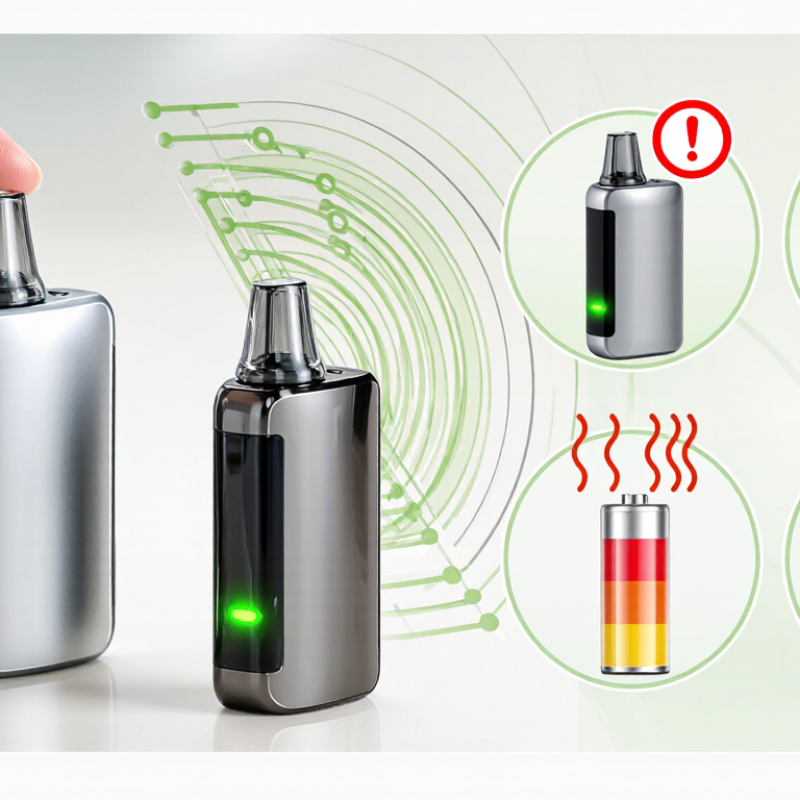
2026 How to Fix a Disposable Vape Flashing Green
What a Flashing Green Light Usually Means on a Disposable Vape
A flashing green light is not a universal code. On many disposable devices, it signals a battery or operating-status event; the exact meaning depends on the model. A brief flash during a puff may be normal. Repeated blinking can indicate low charge, an airflow timeout, poor internal contact, or an empty device. The signal can be frustratingly vague. Check the device instructions before deciding what it means.
If it flashes repeatedly, stop using it and check for visible damage, unusual heat, or a burnt smell. Don’t open, puncture, or modify the device. A 2017 U.S. Fire Administration report recorded 195 e-cigarette fire or explosion incidents in the United States from 2009 to 2016, with 133 injuries. The report does not connect green lights to failures, but it underscores the value of cautious handling.
Tips: Wipe the exterior contact area gently with a dry cloth. If the device is designed to recharge, use only its specified charging method; otherwise, don’t charge it. Persistent flashing or abnormal heat? Stop using it and follow local battery-disposal guidance.
A green flash may signal a fault, but the pattern varies by device. Check the mouthpiece and airflow opening under bright light. Look for lint, dust, or a blocked passage. Do not push pins or other sharp objects inside. A light pattern is only a clue, not a diagnosis.
Inspect the casing and seams for cracks, dents, moisture, or sticky residue. If liquid is leaking, avoid skin contact and stop using the device. Do not open it or attempt to repair its battery. The U.S. Fire Administration’s 2017 report documented 195 e-cigarette fire or explosion incidents from 2009 to 2016, with 133 injuries. Those figures cover e-cigarettes broadly, not just flashing devices, but they underline why visible damage deserves caution. I admit, a quick visual check cannot reveal every internal fault.
Tips: Wipe the exterior with a dry cloth and check the opening again. If the light keeps flashing, the device heats up, or damage remains, stop using it. Keep it away from children and follow local guidance for safe disposal.
How to use this checklist: Follow the steps in order. The numbers show inspection order, not failure rates or test results. Check the mouthpiece externally without inserting objects or disassembling the device. If you find a leak or visible damage, stop using it and follow the manufacturer's disposal guidance. Flashing-light meanings vary by model, so consult the product instructions.
A flashing green light does not have one universal meaning. On some vapes, it signals charging or a full battery; on others, it can indicate a connection or battery fault. Check the device label and its official instructions before plugging it in. If the package says “non-rechargeable,” do not connect a cable, even if a charging port is visible. That detail is easy to miss. Use only the charging method and adapter specified by the manufacturer, and stop if the device becomes unusually hot, swollen, wet, or damaged.
The U.S. Fire Administration’s report, Electronic Cigarette Fires and Explosions in the United States, 2009–2016, documented 195 related fire and explosion incidents. It does not explain what a green flash means, but it reinforces why battery warnings matter. Place a rechargeable device on a hard, clear surface while charging, and do not leave it unattended or charging overnight. If the light keeps flashing after you follow the instructions, disconnect it if safe and contact the manufacturer or a qualified retailer. Don’t guess based on another device; indicator patterns vary, and the manual may be less clear than it should be.
Try Safe, Basic Fixes for Common Airflow or Battery Issues
A flashing green light can signal different things on different devices, so check the device instructions before guessing. If airflow seems weak, inspect the mouthpiece for lint or debris. Wipe the outside with a clean, dry cloth. Don’t poke inside with a pin or add liquid; that can damage the device. It’s easy to overlook a simple blockage, but forcing a draw is not a safe fix.
Tips: Keep it simple. Check the airflow opening, then try a gentle puff. Stop if it still feels blocked.
If the device is rechargeable, look for moisture or visible damage around its charging port. Use only a compatible cable, and charge it on a dry, stable surface while you are nearby. A green flash alone doesn’t confirm that the battery is healthy. If the device becomes unusually hot, leaks, looks swollen, or keeps flashing after basic checks, stop using it. Don’t open or repair the battery. Follow local guidance for disposing of battery-containing devices. I can’t tell the cause from the light alone, so checking the device instructions matters.
2026 How to Fix a Disposable Vape Flashing Green
A green flash does not have one universal meaning. It may signal a low battery, a connection problem, or a device fault. Check the instructions for your exact model, but do not keep puffing to test it. Stop using the vape if it becomes unusually hot, leaks, smells burnt, or keeps flashing after the recommended basic checks. Do not open it, puncture it, or try to replace its built-in battery. A tiny device can still contain a damaged lithium battery. That matters.
Disposal is not a minor detail. Material Focus’s 2023 UK research estimated that nearly five million single-use vapes were discarded each week. Each discarded device can contain a battery and electronic components that need appropriate handling. Keep a faulty vape away from heat and metal objects, and do not put it in household rubbish or curbside recycling. The US Environmental Protection Agency advises taking batteries to appropriate collection or recycling points rather than placing them in the trash. Ask a local waste facility or participating retailer where to take the whole device. If it is swollen, leaking, or hot, avoid carrying it around; contact your local waste service for safe instructions. I would not assume a flashing light is harmless just because the vape still works.
| What You Notice | What It May Mean | Safe Action | When to Stop Using and Dispose |
|---|---|---|---|
| The device flashes green but still works normally. | Light patterns are not standardized. The flash may be a normal status signal, or it may indicate a condition specific to that device. | Check the device’s instructions for its exact light codes. Do not assume that green means the device is safe or fully charged. | Stop if the flashing is accompanied by overheating, leakage, damage, a burnt taste, or other unusual behavior. |
| The green light flashes repeatedly and no vapor is produced. | The battery may be depleted, the device may have reached the end of its usable life, or an internal connection may have failed. | Follow the device instructions. Do not open the casing, bypass a safety feature, or attempt an unapproved repair. | If it remains unusable after the steps in the instructions, stop using it and take it to an appropriate battery or e-waste collection point. |
| The device has a charging port, but the instructions do not clearly say it is rechargeable. | A port alone does not confirm that charging is intended or safe for that device. | Charge it only if the device is explicitly designed to be rechargeable and its instructions specify how to do so. Use only the recommended charging method. | Do not charge a device that is hot, swollen, leaking, damaged, or behaving unusually. Arrange proper battery disposal instead. |
| The device becomes unusually hot, swells, leaks, or has a damaged casing. | These can be signs of battery or device damage. A damaged lithium-ion battery can present a fire or injury risk. | Stop using and charging it. Do not puncture, crush, dismantle, or put it in water. Keep it away from people, pets, and flammable materials when safe to do so. | Take it to a local battery or electronic-waste collection service and tell the staff that it is damaged. If it is smoking or burning, move away and contact emergency services. |
| The device tastes burnt, produces little or no vapor, or the liquid appears depleted. | The liquid may be exhausted, or the heating element may no longer be functioning properly. | Do not keep inhaling to try to make the device work. Disposable devices are not designed to be refilled or repaired. | Stop using it. Dispose of the whole device through a suitable battery or e-waste collection route, following local rules. |
| The device is spent or no longer needed, with no visible damage. | Disposable vapes contain a battery and may contain nicotine residue; they should be handled as electronic waste rather than ordinary household rubbish. | Keep it away from children and pets. Do not dismantle it or pour any remaining liquid down a drain. | Use a local battery, e-waste, or household hazardous-waste collection point. Follow local disposal guidance; do not place it in household recycling unless local rules specifically permit it. |
Important: A flashing green light does not have one universal meaning across disposable vapes. Consult the instructions for the specific device, and stop using it if it is damaged, unusually hot, leaking, swollen, smoking, or otherwise behaving abnormally.
It may signal a battery or operating-status change. The exact meaning varies by model. It varies.
Not always. Some devices flash briefly during normal use. Check the instructions for your exact model.
Stop using it and check for visible damage, unusual heat, or a burnt smell. Don’t keep puffing to test it.
Only if the device is specifically designed to recharge. Follow its instructions and specified charging method. Never charge one labeled non-rechargeable.
Disconnect it if safe, and stop using it. Do not leave it unattended or charging overnight. That matters.
No. Don’t open, puncture, or modify it. Its built-in battery may be damaged, even if the device still works.
Gently wipe the exterior contact area with a dry cloth. If flashing continues, stop using it. The instructions can be unclear.
Keep it away from heat and metal objects. Ask a local waste facility or participating retailer about battery collection. Don’t put it in household rubbish or curbside recycling.
A flashing green light on a disposable vape can indicate a low or unstable battery, an airflow problem, or a device status signal; its meaning varies by model. If you’re wondering, “why is my disposable vape flashing green,” first check the exterior and mouthpiece for visible blockage, leaking, or damage. Keep the device dry, and don’t insert objects into it or try to open it.
Check the device’s instructions to see whether it is rechargeable and what its indicator light means. If it is designed to recharge, use only the charging method specified by the manufacturer, and stop if it becomes unusually hot or behaves abnormally. For a possible airflow issue, gently clear debris from the mouthpiece without dismantling the device. If the light keeps flashing, the vape leaks, or it appears damaged, stop using it. Dispose of it through an appropriate battery or electronic-waste collection service rather than putting it in household trash.

Blvck Vape